
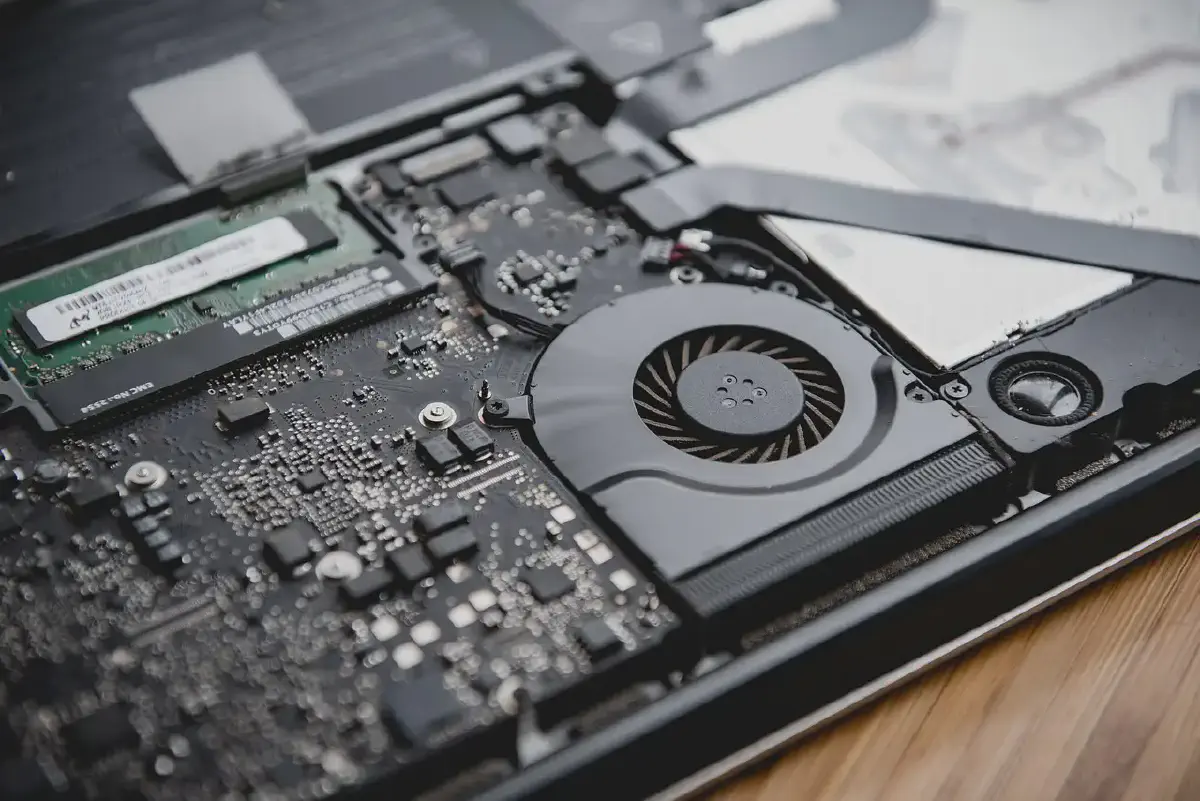
Finding the right way to keep a laptop cool can be frustrating. Many people buy a cooling pad hoping to fix overheating issues, only to find that their temperatures barely change. This often happens because basic cooling pads are designed to look good rather than actually move air where it is needed most. This guide provides a simple breakdown of how laptop cooling works and what to look for in a thermal solution.
Understanding Airflow Basics #
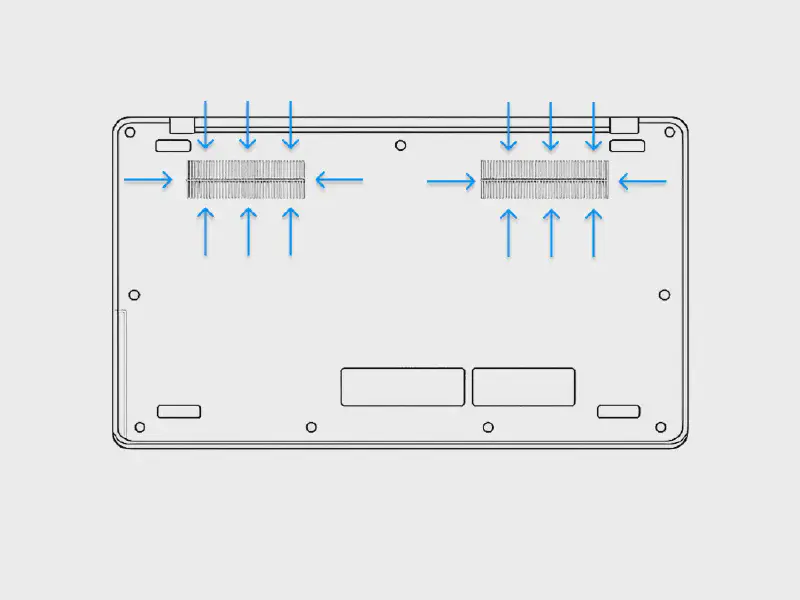
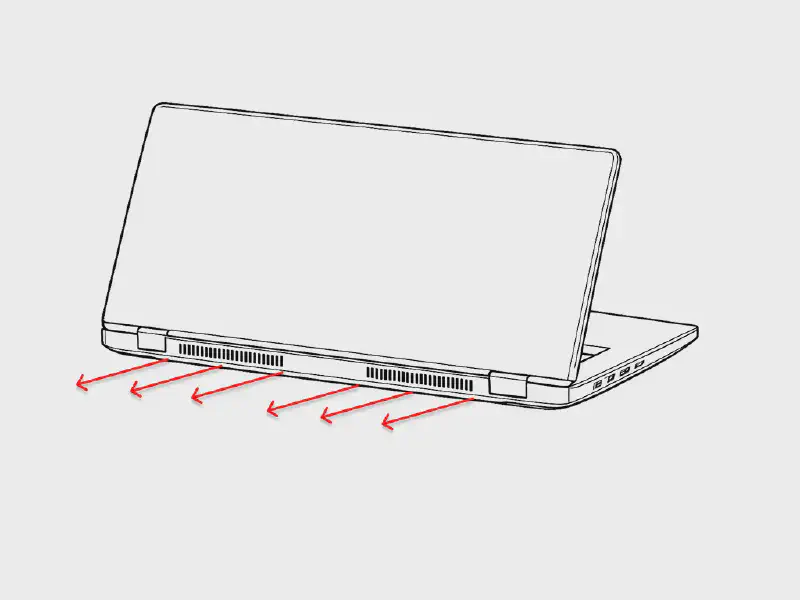
Nearly all modern laptops use a series of internal fans and heat pipes to manage temperature. The process generally follows a simple cycle:
- Intake: Cool air is pulled into the laptop through vents, which are usually located on the bottom of the chassis.
- Heat transfer: The internal fans push this cool air over heatsinks that are connected to the CPU and GPU.
- Exhaust: Once the air has absorbed the heat, it is pushed out through exhaust vents, typically found at the back or sides of the laptop.
How standard cooling pads function #
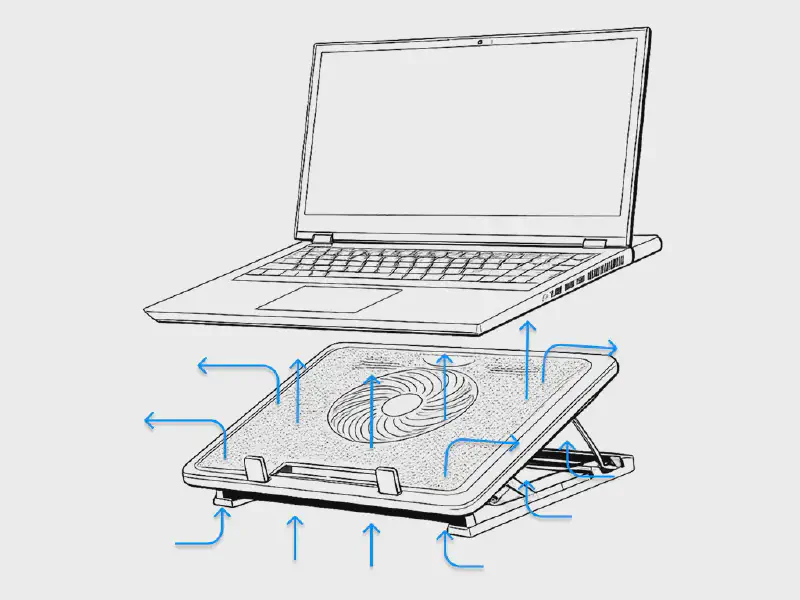
A basic cooling pad works by blowing air upward against the bottom of the laptop. The goal is to provide a constant stream of fresh air to the intake vents while also cooling the outer plastic shell of the device. Most of these pads are powered by a simple USB connection to the laptop itself.
The limitations of basic cooling pad #
The primary issue with this design is that the air is not directed. Because the space between the laptop and the cooling pad is open, much of the air escapes out the sides before it ever reaches the intake vents.
Without a way to focus the air pressure, these fans often struggle to overcome the resistance of the laptop’s own internal cooling system. This results in a situation where the pad is spinning loudly and blowing air, but the internal components of the laptop remain just as hot as they were before.
How to choose the right cooler and cooling pad for your laptop #
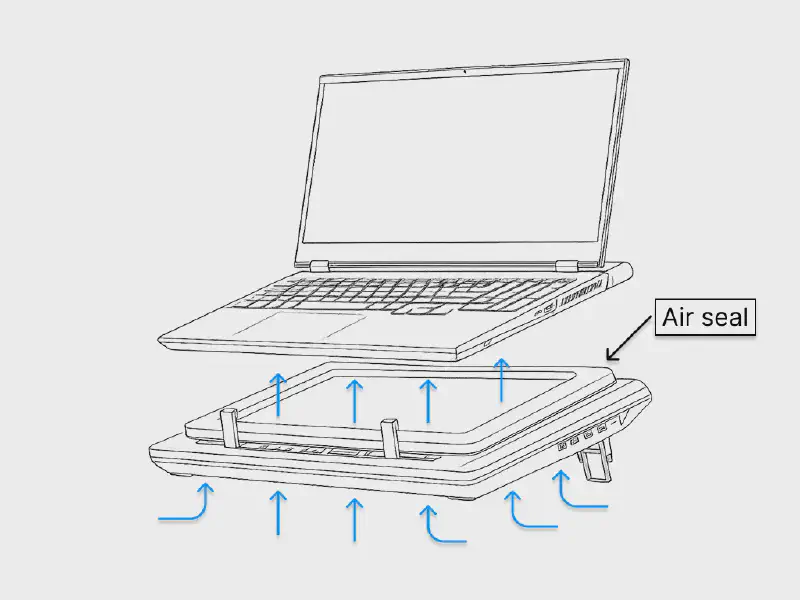
The llano, and similar high-pressure cooling pads solve this problem by changing how air enters the laptop. Instead of just blowing air in the general direction of the device, they use a mechanical seal to force air exactly where it needs to go.
The secret to why these cooling pads work is a thick memory foam gasket that sits between the laptop and the cooler. When the laptop is placed on the pad, its weight creates an airtight sealed chamber.
Because the air has no way to escape out the sides, the high-speed fan inside the pad creates massive static pressure. This forces the cool air directly into the laptop’s intake vents at a much higher velocity than a standard fan could ever achieve.
Key differences from basic pads:
- Directional airflow: Every cubic inch of air moved by the fan is forced into the laptop rather than being wasted.
- Static pressure: The industrial-grade fans are designed to push air through restricted spaces, like the small vents on the bottom of a gaming laptop.
- Dust filtration: Most of these systems include a built-in filter at the bottom. Since all air must pass through this filter before entering the sealed chamber, it keeps the internal heatsinks much cleaner over time.
- Long term health: Keeping the interior clean is a major factor in maintaining performance. Over time, dust buildup acts like a blanket on the internal copper fins, trapping heat and forcing the fans to work harder. When the heatsinks stay clean, the laptop maintains its factory-level cooling efficiency for much longer. This prevents the gradual increase in temperatures that usually leads to thermal throttling and hardware wear as a laptop gets older.
Crucial factors for choosing the right cooling pad:
- To choose the right cooling pad, first confirm that the laptop has intake vents on the bottom to allow air to pass through.
- The most effective choice is a cooling pad with a thick physical gasket that creates a complete seal against the laptop chassis and a high-speed turbofan underneath.
- Prioritize models that include a built-in dust filter to protect the internal heatsinks from long-term buildup.
- Choose a model with adjustable speed controls to help manage noise levels.
Some of the best laptop cooling pads for your laptop #
When looking for a cooler that follows high-pressure principles, it is important to choose one with a proven track record. Below are examples of cooling systems that utilize a sealed gasket design to achieve significant temperature drops.
1. llano V12 Ultra
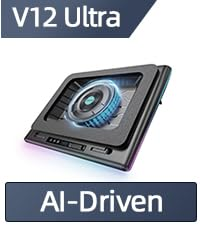
Price: ~ $130 - $180 (may vary based on current discounts)
Cooling Level: Ultra Cooling Up to 44℃ (111℉)
RGB: 12 Dynamic Modes
Fan Size: 5.5 Inch
RPM: 2800
Adapter Power: 36W
Compatibility: 15.6-19.3 Inch laptop
Extend Ports: 3 USB-A 3.0
Key Feature: It is the only “AI-Driven” model in the lineup, automatically adjusts the fan speed based on your laptop’s workload, ensuring efficient cooling with lower noise levels.
2. IETS GT600

Link V1 (USB Hub, No RGB): https://amzn.to/4cNagGl
Link B0 (No USB Hub, No RGB): https://amzn.to/4sQJYsB
Price: ~$95 - $115 (may vary based on current discounts and models)
Cooling Level: High-Pressure Cooling up to 71.9 mmH2O
RGB: 14 Dynamic Modes (V2 model)
Fan Size: 5.5 Inch, IETS special large ring fan
RPM: 2800
Adapter Power: Special adapter 12V DC
Compatibility: 14.1–19.3 Inch laptop
Extend Ports: 3 USB-A 2.0
Key Feature: The V2 model features a magnetic memory foam seal that provides a tighter fit than standard gaskets. All three versions of the IETS GT600 (B0, V1, and V2) also includes a dual-layer industrial dust filter, making it the best choice for keeping your laptop’s internals clean in dusty environments.
IETS GT600 is the direct competitor to the llano V12 series. While they use the same sealed-chamber principle, the GT600 is often preferred by users who want a slightly quieter experience and better dust filtration.
3. llano V13 (Non-RGB)
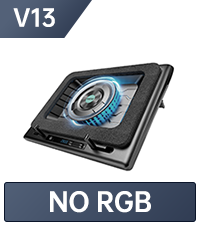
Price: ~$85 - $113 (may vary based on current discounts)
Cooling Level: High-Pressure Cooling up to 44°C (111°F)
RGB: None (Stealth Design)
Fan Size: 5.5 Inch
RPM: 2800
Adapter Power: 36W
Compatibility: 15.6–19.3 Inch laptop
Extend Ports: 3 USB-A 3.0
Key Feature: This model provides the exact same cooling power as the V12 series but removes all lighting for a professional, minimalist look and lower price.
4. llano V10-RGB Pro
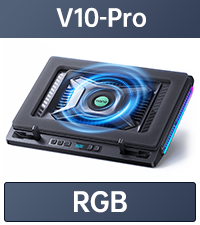
Price: ~$90 - $140 (may vary based on current discounts)
Cooling Level: Rapid Cooling up to 38°C (100°F)
RGB: Action Button Controlled RGB
Fan Size: 4.72 Inch
RPM: 3500
Adapter Power: 18W
Compatibility: 13–17.3 Inch laptop
Extend Ports: 2 USB-C & 2 USB-A
Key Feature: Optimized for standard-sized laptops, this model uses a higher RPM fan to maintain high static pressure in a more compact and portable frame. This is also the only model in the lineup to feature USB-C ports.
5. llano V12-RGB
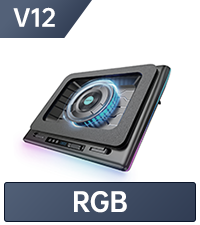
Price: ~$95 - $120 (may vary based on current discounts)
Cooling Level: Ultra Cooling up to 44°C (111°F)
RGB: 12 Dynamic Modes
Fan Size: 5.5 Inch
RPM: 2800
Adapter Power: 36W
Compatibility: 15.6–19.3 Inch laptop
Extend Ports: 3 USB-A 3.0
Key Feature: The standard version of the high-performance 5.5-inch series, offering maximum airflow and full RGB lighting for a gamer-focused setup.
6. llano V10-Non-RGB SE
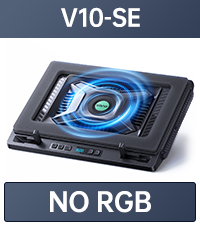
Price: ~$85 - $110 (may vary based on current discounts)
Cooling Level: Rapid Cooling up to 38°C (100°F)
RGB: None
Fan Size: 4.72 Inch
RPM: 3500
Adapter Power: 12W
Compatibility: 13–17.3 Inch laptop
Extend Ports: /
Key Feature: The most budget-friendly entry into the pressure-sealed ecosystem, providing efficient cooling for smaller laptops without the cost of extra ports or lighting.
Why choose a pressure sealed cooling pad? #
While basic cooling pads are cheaper, they often fail to lower internal temperatures because most of the air escapes before reaching the laptop. Most gaming laptops are not equipped with a good cooling system that can fully manage the heat generated under heavy loads.
Choosing a sealed chamber system like the llano or IETS is an investment in the long term health of the hardware. Although these cooling pads may seem expensive at first, they are a practical choice for maintaining performance.
Disclosure & Disclaimer
Affiliate Disclosure: As an Amazon Associate, SharkofPot earns from qualifying purchases. This means that if you click on a link and make a purchase, the site may receive a small commission at no extra cost to you.
Trademark Disclaimer All product names, logos, and brands are the property of their respective owners. Their use in this guide is for identification purposes only and does not imply an official endorsement or affiliation.